
AI Background Remover
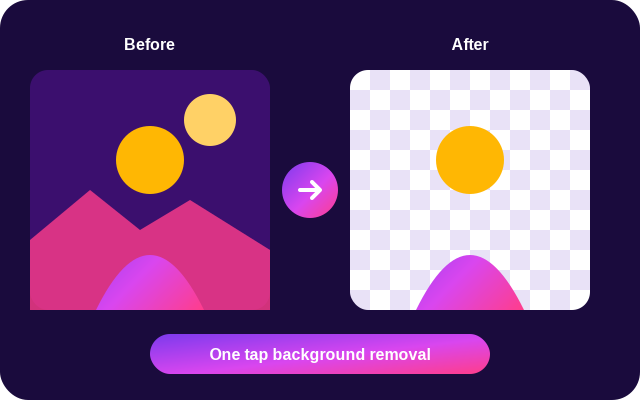
Cut out a person or product in one tap and drop it on any colour, photo or template.
- Auto subject detection
- Smooth edge refinement
- Transparent PNG export
Edit photos and videos like a pro with AI tools, premium-style filters, stickers, fonts and templates. Get the latest Picsart Mod APK guide, file details and safe-install tips in one place.
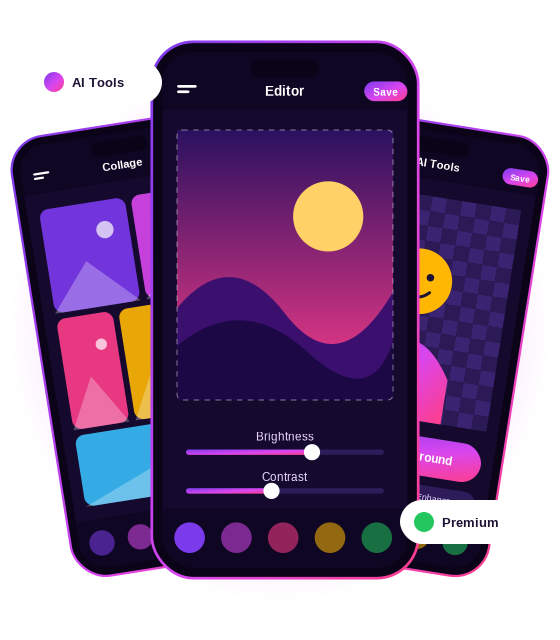
*Which premium tools are unlocked depends on the exact build you install. This is an unofficial modification.
Picsart Mod APK is a modified version of the popular Picsart photo and video editor for Android. The original app from PicsArt, Inc. lets you crop, retouch, add filters, remove backgrounds, build collages and edit short videos. Many of its best tools sit behind a paid Gold plan, and that is the gap mod versions try to fill.
On this page you will find a clear guide to what the app offers, how the mod differs from the official release, how to install it step by step, and the risks you should know about before you do. Our goal is honest information first, so you can decide for yourself.
Whether you edit selfies, product photos, thumbnails or reels, Picsart combines photo editing, design and video tools in one place. Combined with AI features such as background removal and image generation, it is one of the most complete mobile editors you can install.
Quick tip: new to editing? Start with a template, swap your photo, then fine-tune colours with the adjust tools. It is the fastest way to get a professional look.

Picsart is built around a simple idea: you should be able to take a raw photo or video clip and turn it into something ready to post without switching apps. Everything happens inside one editor that combines a photo editor, a design tool and a video editor. You open a picture, apply changes in layers, and export the result in the size your platform needs.
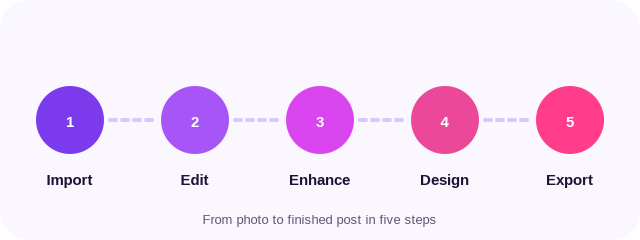
The typical workflow has five stages. First you import a photo, a video or a blank canvas. Second you edit the basics such as crop, rotate, brightness and contrast. Third you enhance the picture with filters, effects and AI tools like background removal. Fourth you design by adding text, stickers, frames and shapes, or by starting from a template. Finally you export in high quality and share directly to your favourite social network.
Because every change sits on its own layer, you can undo, move or fine-tune any element later. That non-destructive approach is one reason beginners feel comfortable and experienced editors still rely on the app for fast work on a phone.
See exactly what changes when you move from the official app to a modified build.
| Feature | Official Picsart | Picsart Mod APK |
|---|---|---|
| Premium (Gold) tools | Paid subscription | Unlocked* |
| Filters, fonts & stickers | Part free, part paid | Most available* |
| AI tools | Daily limits on free plan | Varies by build |
| Updates | Automatic via Google Play | Manual |
| Official support | Yes | No |
| Security checks | Verified by Google Play | You must scan it yourself |
| Account & cloud sync | Full | Limited |
| Terms of use | Compliant | Violates Picsart terms |
*Based on typical mod builds. Check the exact version you install.
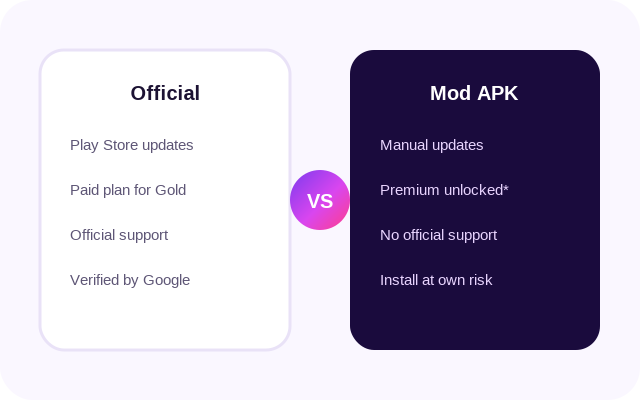
If you value stability, privacy and security, the official app is the best choice. If you only want to experiment with premium tools, a mod can look attractive, but you accept the risks of an unofficial file: no updates, no support and possible account restrictions.
Whatever you choose, keep your originals backed up and avoid logging into valuable accounts on modified apps.
Everything you need to edit, design and create, grouped so you can find the right tool fast. Filter by category or hover a card.
Cut out a person or product in one tap and drop it on any colour, photo or template.
Brush over unwanted people, wires or text and let the editor fill the gap.
Describe an idea in words and generate original artwork, avatars or backgrounds.
Sharpen soft photos and bring back detail in a single tap.
Hundreds of colour looks, blur, glitch, vintage and artistic effects with adjustable strength.
Crop, rotate, curves, brightness, contrast, saturation, clone, tilt-shift and more for precise control.
Combine photos into grids, frames and free-style collages with custom borders.
Start from ready-made layouts for posts, stories, thumbnails and posters.
Stylish fonts, shadows, outlines and curved text for captions, quotes and logos.
Huge sticker packs, frames and vector shapes to decorate any design.
Trim, merge, add text, speed control and effects to create reels, shorts and stories.
Add background music and sound to your videos and match the beat.
Sketch directly on photos with pens, brushes and an eraser.
Save in high resolution as JPG or PNG, ready to share.
One-tap sizes for Instagram, Facebook, YouTube, TikTok and WhatsApp status, plus direct sharing.
Tool availability can vary between versions and builds. Premium access depends on the specific file.
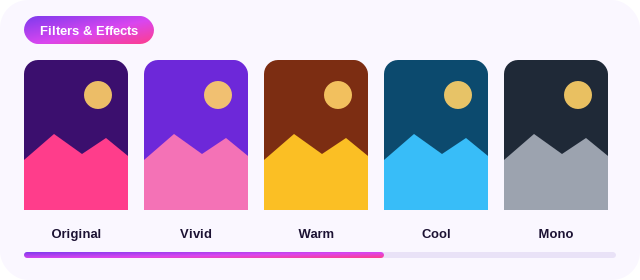
Filters are the fastest way to change the mood of a picture. Picsart groups them into families such as vivid, warm, cool, vintage and black and white, and every filter has a strength slider so you can keep the effect subtle or push it hard. Effects go further, adding blur, glitch, light leaks, paint strokes and artistic textures.
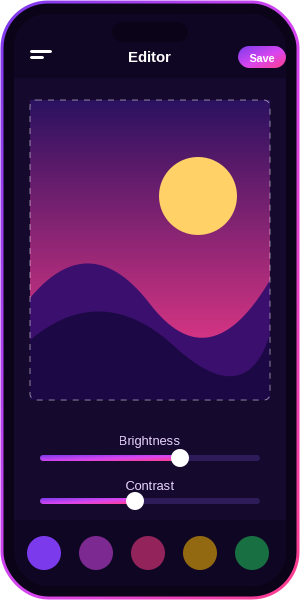
For precise control, the adjust tools let you change brightness, contrast, saturation, highlights, shadows and temperature. Selective tools such as clone, tilt-shift and curves help you fix small details like a distracting object or a flat sky. Combine a mild filter with careful adjustments and your photo looks natural instead of over-processed.
Brightness, contrast, curves, sharpness and colour balance in one panel.
Blur, glitch, vintage and artistic looks with adjustable strength.
Crop to social sizes, shape-cut subjects and straighten crooked shots.
Artificial intelligence does the heavy lifting so you can finish edits in seconds instead of minutes.
Some AI tools need an internet connection and may have usage limits.
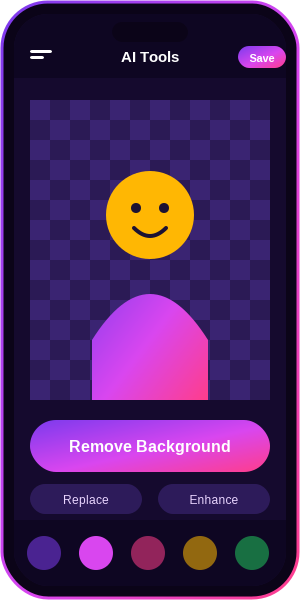
The AI background remover is the tool most people open Picsart for. It detects the main subject, cuts it out and leaves a transparent area you can fill with a colour, a gradient or another photo. This is useful for product pictures, profile photos, stickers and thumbnails.
Object removal works in a similar way. Brush over a stray person, a cable or a logo and the AI fills the gap using the surrounding pixels. Results are best when the background is simple, so zoom in and use a small brush for tricky edges. For artwork, the image generator turns a short text description into a picture you can place in a design.
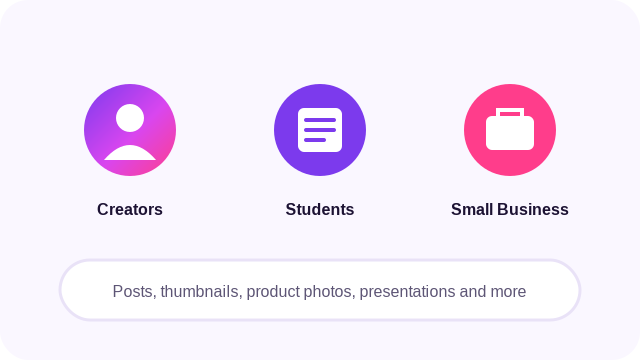
Picsart appeals to a wide audience because it is simple enough for beginners and flexible enough for people who edit every day. If you create content, run a page or just like improving your photos, there is a tool for you.
The same editor handles a quick selfie fix, a branded product shot and a full video story, so you do not need a different app for each job.
Make thumbnails, reels and posts with consistent colours, fonts and templates that match your channel.
Design posters, project covers and presentation visuals without learning professional software.
Clean up product photos, remove backgrounds and publish offers and banners in minutes.
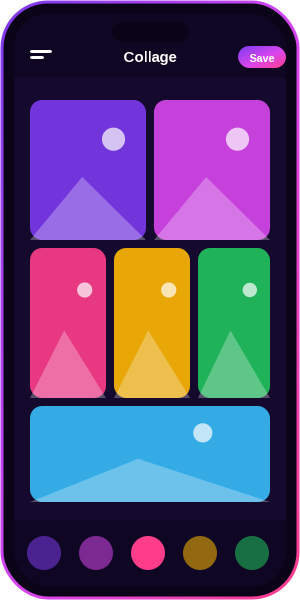
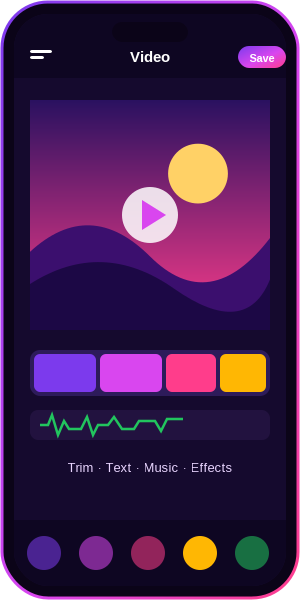
A quick look at the editor, AI tools, collage maker and video editor.
Follow these eight steps. The whole process takes less than two minutes.
Tap the Download APK button anywhere on this site. It takes you to our download page where the file is hosted.
Press the download button and wait until the file finishes. You can watch progress in your notification bar.
If Android asks, open Settings > Apps > Special access > Install unknown apps, pick your browser or file manager and switch on Allow from this source.
Open your Files or Downloads app and tap the downloaded Picsart Mod APK file.
Review the installer screen and tap Install. If Play Protect shows a warning, read it and continue only if you trust the file.
The install takes a few seconds. Tap Open when it finishes, or start the app from your home screen.
Allow photo or storage access so the editor can open your pictures. You can deny anything else.
Create your project and export it. Avoid signing in with your main accounts while using a modified app.
One tap tells you whether this device meets the recommended requirements.
Most install problems come down to storage, permissions or an old version. Here are the usual fixes.
The file may be incomplete or your Android version is too old. Delete it, download it again on a stable connection and check that your phone runs Android 7.0 or higher.
Open Settings, search for Install unknown apps and allow your browser or file manager, then tap the APK again.
The official app and a mod are signed differently. Uninstall the old Picsart app first (back up your projects), then install the new file.
Clear the app cache from Settings > Apps > Picsart > Storage, free up at least 1 GB of space and restart your phone.
AI features need an internet connection and server access. Check your network, try Wi-Fi and retry later; some servers limit modded clients.
Close background apps, lower the export resolution and make sure your phone has enough free storage.
Open Google Play > Profile > Play Protect > Settings. You decide whether to keep scanning on; we do not recommend turning protection off permanently.
We want you to make an informed decision. Here is how to reduce the risk if you choose to install a mod.
Upload the APK to virustotal.com or use a mobile security app to check it. A clean result is not a guarantee, but it filters out obvious threats.
Do not sign in with your main Google, Facebook or Picsart account. Use the editor offline or with a throw-away account.
Only allow photo or storage access. Deny contacts, SMS, microphone or location unless a feature clearly needs them.
Important: PicsartApkMod is an independent information website. We are not PicsArt, Inc. A modified app breaks the original terms of use, and any APK from outside Google Play can be tampered with. Install at your own risk, and consider the official app if you want guaranteed safety and support.
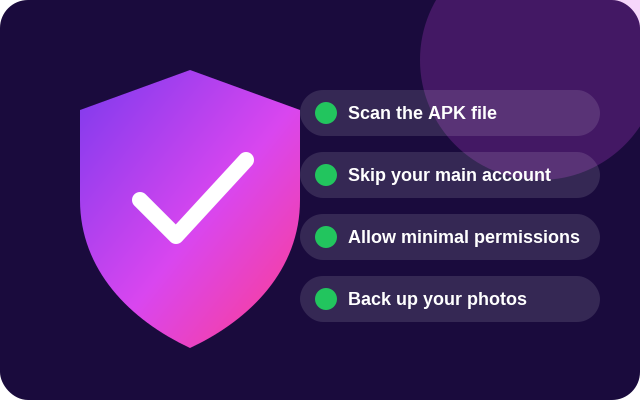
Before you install any APK, treat it like a file from a stranger. Download only from a source you trust, check that the file size looks realistic, and run it through a scanner. After installing, open Settings and review the permissions the app holds. An image editor needs access to your photos, but it rarely needs your contacts, messages or location.
Finally, remember that you can always keep the official Picsart app on a second device or use its web editor for anything important. That way a mod is only ever an experiment, and your real accounts and files stay protected.
Editing improves a picture, but sharp focus and good light matter most. Shoot near a window when you can.
Fix exposure and contrast first, then add a filter. This keeps colours natural and the result consistent.
Use one or two fonts, strong contrast and plenty of space so captions stay readable on small screens.
Pick a layout, swap your photo and change the colours. It is the fastest way to a polished design.
Save the final picture at the highest resolution and keep a copy of the original image.
Two or three effects are usually enough. Too many layers make a picture look busy and cheap.
A balanced look at what you gain and what you risk.
If you prefer official, free-to-use apps, these editors are worth a look.
| App | Best for | Pricing | Platforms |
|---|---|---|---|
| Canva | Templates and social designs | Free + paid | Android, iOS, Web |
| Snapseed | Precise photo retouching | Free | Android, iOS |
| CapCut | Short-form video editing | Free + paid | Android, iOS, Web, PC |
| Adobe Photoshop Express | Quick photo fixes and effects | Free + paid | Android, iOS, Web |
| Pixlr | Browser-based photo editing | Free + paid | Web, Android, iOS |
Quick answers to the questions we get most often.
Picsart Mod APK is an unofficial, modified build of the Picsart photo and video editor for Android. Mod builds are usually packaged so that paid (Gold) tools such as premium filters, fonts, stickers and AI features can be used without a subscription. Because it is not published by PicsArt, Inc., it does not receive official updates or support.
Yes. Downloading the file from this website costs nothing and you do not need to create an account on our site. The official Picsart app also has a free tier, but its premium tools need a paid plan.
Any APK that does not come from Google Play carries risk, because the file can be altered by whoever repackages it. Download only from sources you trust, scan the file (for example on virustotal.com), do not give it unnecessary permissions, and never sign in with your main Google, Facebook or Picsart account. Read our safety section before installing.
Using a modified app to bypass a paid subscription is against Picsart's Terms of Use and may breach copyright and licensing rules in your country. We publish this page for information and review purposes only. If you want a fully legal and supported experience, use the official app from Google Play and its free or paid plans.
No. You only need to allow your browser or file manager to install apps from unknown sources. Rooting is not required and we do not recommend it.
We recommend Android 7.0 or higher with at least 3 GB of RAM and some free storage space for smooth editing. Older phones may install the app but run slowly or crash during AI edits.
APK files only work on Android. iPhone users can install the official Picsart app from the App Store. On a PC you can use the Picsart web editor in your browser or run the APK in an Android emulator.
No. Mod builds are not on Google Play, so there is no automatic update. Come back to this page for new builds, and uninstall the older version first if the installer reports a conflict.
It is possible. Picsart can restrict accounts that use modified clients. For that reason we suggest using the mod without logging in, or with a throw-away account, and keeping your real account on the official app.
Play Protect flags apps it has not scanned or that come from outside the Play Store. A warning is normal for any APK, but it is also a good moment to double-check where the file came from before you continue.
Picsart is one of the most capable mobile editors available: photo retouching, AI cut-outs, collages, templates and video tools in a single app. A Picsart Mod APK is attractive because it tries to unlock the paid tools for free, but it comes with real trade-offs in security, updates and terms of use.
Use the checklist on this page: scan every file, protect your accounts and keep the official app as a fallback. When you are ready, head to the download page.

We test and review photo and video editing apps for Android. Last reviewed on October 19, 2026.
Open the download page to get the APK file, view requirements and read the install checklist.
Download Picsart Mod APK